 Pivel
PivelFilter a big spreadsheet on your phone in seconds.
Pivel opens, filters and summarizes Excel (.xlsx, .xls) and CSV files without a trip to the computer. Tap a column and the rows narrow down; see totals, averages and counts without writing a formula.
Data stays on the device. No server · no account · view your tables offline
The four things people actually do in a spreadsheet, made for a phone.
Pivel is not a spreadsheet editor. It is the fastest way to open a file and find what you are looking for.
Filter
Every column is a filter. Region, category, status, customer; the table narrows the moment you tap. Filters feed each other: pick a region and only its cities are listed.
Summarize
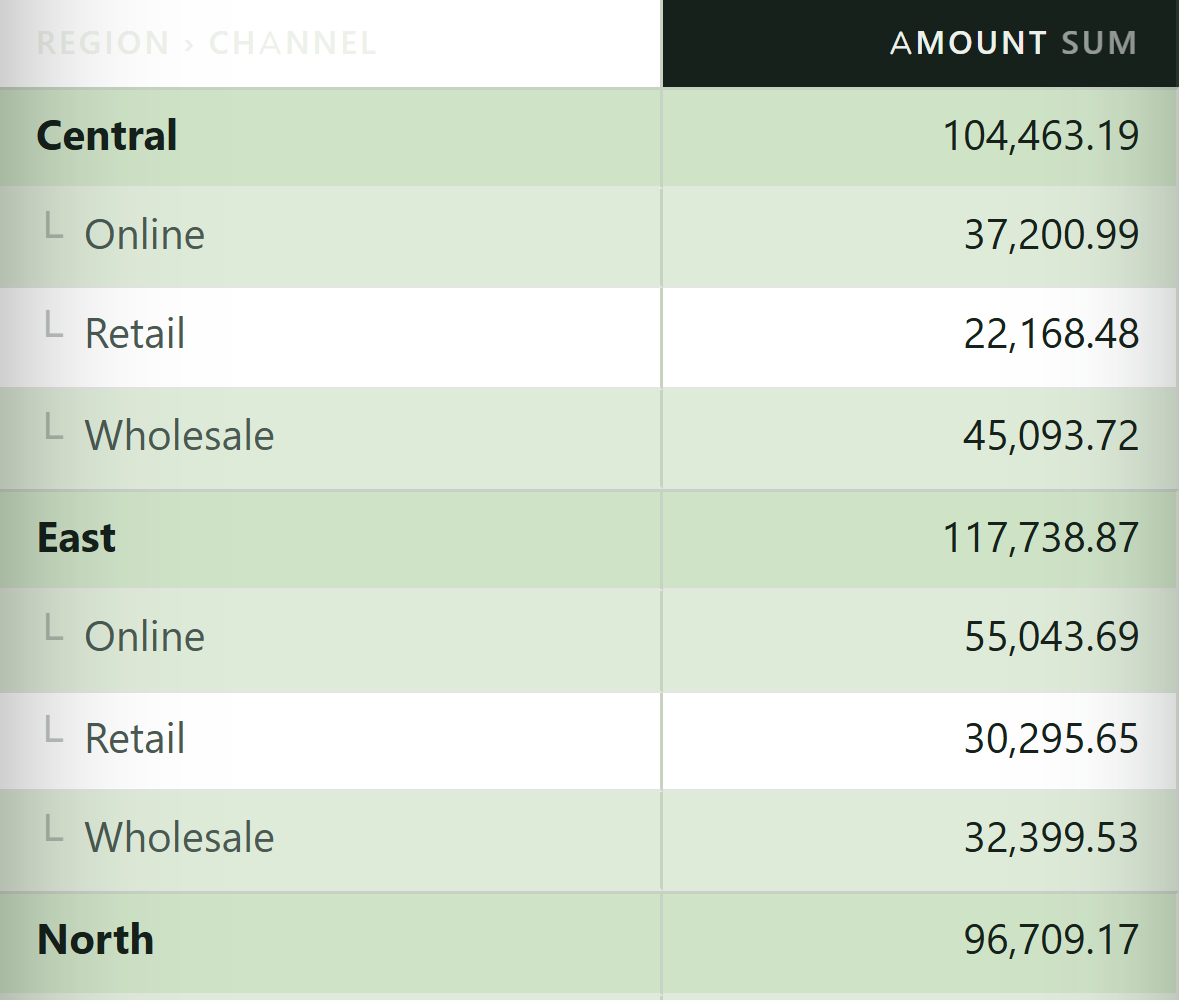
Pivot-table logic in a phone-sized interface. Group a date column by day, month, quarter or year; region in rows, month in columns, the total where they meet.
Save
Save the filter and summary layouts you use most. Reopen the same file and pick up where you left off. Share a layout with your team as a .pivel file.
Share
Export the filtered table or the summary as text or HTML. Email, messages, wherever you like. Your source file is never modified.
Your tables never leave your device.
Pivel runs without a server. The file opens on the phone, is parsed on the phone, and stays on the phone. That is not a setting; it is the architecture.
The only things kept on your device: the filter layouts you save, the names of recently opened files and your app settings. Details in the privacy policy.
One plan, two billing periods.
Monthly and yearly subscriptions are available. The yearly plan is the better value.
Monthly
Starts with a 3-day free trial. Cancel any time; access continues until the end of the month you paid for.
Yearly
Starts with a 3-day free trial. Better value than monthly over a year; access continues until the end of the year you paid for.
Your first subscription starts with a 3-day free trial on either plan; the length is stated on the payment screen, and you are not charged if you cancel before it ends. The trial is offered once per store account. The subscription is charged to your Google Play or App Store account and renews automatically at the end of the period you chose. Cancel from the subscriptions section of your store account; deleting the app does not cancel the subscription. Full text: Terms of Use · Subscription.
Short answers.
Which file types does it open?
.xlsx, .xls, .xlsm, .csv and .tsv. Multi-sheet files show sheet tabs; merged cells and formula results are read correctly. The file size limit is 40 MB. It also opens .pivel filter/summary templates: those are not tables but saved layouts. Full list: Support · Supported formats.
Do I need an internet connection?
You can view your tables offline. The internet is used only for subscription and purchase operations.
Where do my files go?
Nowhere. The file opens on your phone and stays in memory only while the app is open. Pivel has no server. See the privacy policy.
How do I cancel the subscription?
On Android: Google Play → Payments & subscriptions → Subscriptions. On iPhone: Settings → your Apple ID → Subscriptions. "Manage subscription" in the app menu takes you straight there. Step by step: Support · Cancel.
How do I delete my saved filters?
"Clear my data" in the app menu removes all saved layouts and the recent-files list. Uninstalling the app removes everything; there is no copy on any server.